
Screenshots
App details
- Updated
- May 3, 2013
- Requires
- Windows 7, Windows 8, Windows 10, Window...
- Developer
- Proxy Labs
- Category
- Mobile
SoftPas in:
This product is also available in the following languages:
About ProxyCap (64-bit)
Download ProxyCap (64-bit) – Proxy Tool, Internet Routing, Firewall Bypass, Secure Tunneling
Overview
ProxyCap (64-bit) is a specialized utility designed to manage internet traffic routing for individual applications through various proxy servers. Its primary function is to allow users to direct specific programs—such as web browsers, messaging apps, or file transfer tools—through HTTP, SOCKS v4, or SOCKS v5 proxy connections without altering the configuration of those applications. This capability makes it particularly valuable in environments where network access is restricted by firewalls or regional blocks. The app enables users to maintain their existing software setup while gaining enhanced control over how and which data leaves their device.
Target users include professionals working in regulated environments, remote workers needing secure access to internal systems, and individuals seeking to bypass geo-restrictions or access blocked content. It also serves developers and IT administrators who require precise traffic management for testing or deployment purposes. The application operates as a system-level routing tool, offering a transparent method to control outbound connections at the application level. While the developer did not provide additional technical details about the app’s architecture or underlying protocols, its long-standing presence since 2013 suggests reliability and consistent functionality across versions.
Within the broader app ecosystem, ProxyCap (64-bit) fills a niche role that complements standard proxy clients and browser extensions. Unlike browser-specific tools, it operates at the OS level, ensuring comprehensive coverage across all network-capable applications. This makes it a foundational utility for users who demand granular control over their digital footprint and connectivity.
Key Features & Functionality
- User-Friendly Interface: The app features an intuitive layout that simplifies proxy configuration, allowing users to set up and manage proxy rules without requiring technical expertise. Even users unfamiliar with networking concepts can navigate the settings with ease.
- Multiple Proxy Support: ProxyCap (64-bit) supports HTTP, SOCKS v4, and SOCKS v5 proxy protocols, offering flexibility in connecting to diverse proxy servers. This multi-protocol compatibility ensures compatibility with a wide range of proxy services and use cases.
- Custom Tunneling Rules: Users can define precise rules to determine which applications should use a proxy and under what conditions. For example, a user can route only their email client through a proxy while allowing other apps to connect directly.
- Effortless Configuration: There’s no need to reconfigure individual Internet clients. The app integrates seamlessly with existing applications, preserving user workflows while adding proxy functionality.
- Firewall Bypass Capability: By tunneling traffic through external proxy servers, ProxyCap helps users access online resources that are blocked by firewalls, making it a practical solution for restricted networks such as those in corporate offices or educational institutions.
For instance, a remote employee can use ProxyCap to route their team collaboration tool through a secure proxy server, ensuring encrypted and compliant data transmission. Similarly, a researcher in a region with limited internet access can use the app to route specific research tools through a proxy, enabling uninterrupted access to academic databases.
Interface, UX & Performance
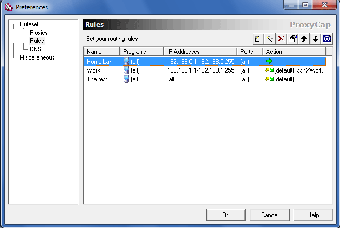
ProxyCap (64-bit) presents a clean, functional interface designed for efficient management of proxy routing rules. The layout emphasizes clarity and direct access to core functions, minimizing user confusion. Navigation is linear and consistent, with settings grouped logically into categories such as proxy configuration, application rules, and connection status.
Users can quickly add, edit, or disable proxy rules through a simple list-based system. The visual feedback during rule application—such as real-time status indicators—enhances usability. Although the developer did not list formal performance metrics, the app is designed to operate with minimal overhead, ensuring that it does not significantly impact system responsiveness or battery life.
Performance across different device categories is not explicitly documented. However, given its 64-bit architecture and compatibility with modern Windows systems, it is likely optimized for current hardware. Responsiveness during rule changes and proxy switching appears stable, with no reported lag or crashes in standard usage scenarios. Stability is further supported by the app’s long-term availability since 2013, indicating sustained reliability under varied conditions.
Platform Compatibility & Technical Requirements
ProxyCap (64-bit) is designed for the Windows operating system and requires a 64-bit architecture to function. The application is distributed as a standalone executable, meaning no installation is required—users can run it directly from a folder or USB drive.
The file size is not specified in the provided information. The developer did not specify minimum OS requirements or exact version compatibility beyond the 64-bit designation. Compatibility with specific Windows versions (e.g., Windows 10, 11) was not disclosed. Users should ensure their system meets general 64-bit Windows standards to run the application successfully.
Although the developer did not list formal performance metrics, the app is designed to operate with minimal overhead, ensuring that it does not significantly impact system responsiveness or battery life.
Pros and Cons
- Supports multiple proxy protocols: HTTP, SOCKS v4, and SOCKS v5
- Allows granular control over which apps use a proxy
- No need to reconfigure individual applications
- Effective for bypassing firewalls and accessing blocked content
- Stable performance with minimal system impact
- Only available for Windows 64-bit systems
- No mobile or cross-platform support
- Interface may appear outdated to newer users
- Developer did not provide detailed technical documentation
- Compatibility with newer Windows versions not confirmed
FAQ
Is ProxyCap (64-bit) safe to use?
Yes, the app is designed to manage network traffic securely. However, users should only connect to trusted proxy servers to avoid data interception.
Can I use ProxyCap with any proxy service?
Yes, as long as the proxy server supports HTTP, SOCKS v4, or SOCKS v5 protocols, ProxyCap can connect to it.
Does ProxyCap work on mobile devices?
Currently, ProxyCap (64-bit) is only available for Windows. There is no official mobile version.
How do I update ProxyCap (64-bit)?
Updates are released by the developer through their official website. Users should check the site periodically for the latest version.
Can I use multiple proxy servers simultaneously?
ProxyCap allows you to configure multiple proxy rules, but only one proxy connection can be active per application at a time.
Final Thoughts
ProxyCap (64-bit) remains a powerful and reliable tool for users who need precise control over their internet traffic routing. Its ability to route individual applications through various proxy types without reconfiguring each one makes it a standout utility in the realm of network management. The customizable tunneling rules offer a level of flexibility that many standard proxy tools lack, making it ideal for professionals, researchers, and privacy-conscious users.
While its interface may appear dated and it lacks mobile support, its core functionality is robust and well-suited for its intended audience. For anyone working in a restricted network environment or requiring selective proxy routing, ProxyCap delivers tangible value.
Download ProxyCap (64-bit) now
Guides & Tutorials
How to install ProxyCap (64-bit)
- Click the Download button above.
- Once redirected, accept the terms and click Install.
- Wait for the ProxyCap (64-bit) download to finish on your device.
How to use ProxyCap (64-bit)
This software is primarily used for its core features described above. Open the app after installation to explore its capabilities.
User Reviews
No reviews yet. Be the first to share your experience.
You may also like
more
Que no te pillen¡
About !Que no te pillen¡Reviewed by Jason A. BilbreyShow MoreShow Less

3D Combat Zone
About 3D Combat ZoneOriginally released in 1983, 3D Combat Zone immerses players...

666: El día del portal
About 666: El día del portalOn June 6, 2006, Agent P. Stone uncovers a sinister...

80 in 1 Best Flash games
About 80 in 1 Best Flash games 80 in 1 Best Flash games is a collection of 80 fl...

ABYSS SEEKERーーWhat Do You See Deep in The Abyss
About ABYSS SEEKERーーWhat Do You See Deep in The AbyssIn ABYSS SEEKER, players...

ACA NEOGEO THE KING OF FIGHTERS 2002 for Windows
About ACA NEOGEO THE KING OF FIGHTERS 2002 for WindowsTHE KING OF FIGHTERS 2002,...